MCCS SOUTH CAROLINA | CAREERS
How to Apply
Your next career starts here. Follow these five steps to search for opportunities, submit your application, and check your status.
Visit MCCS CareersRegister and Create a Profile
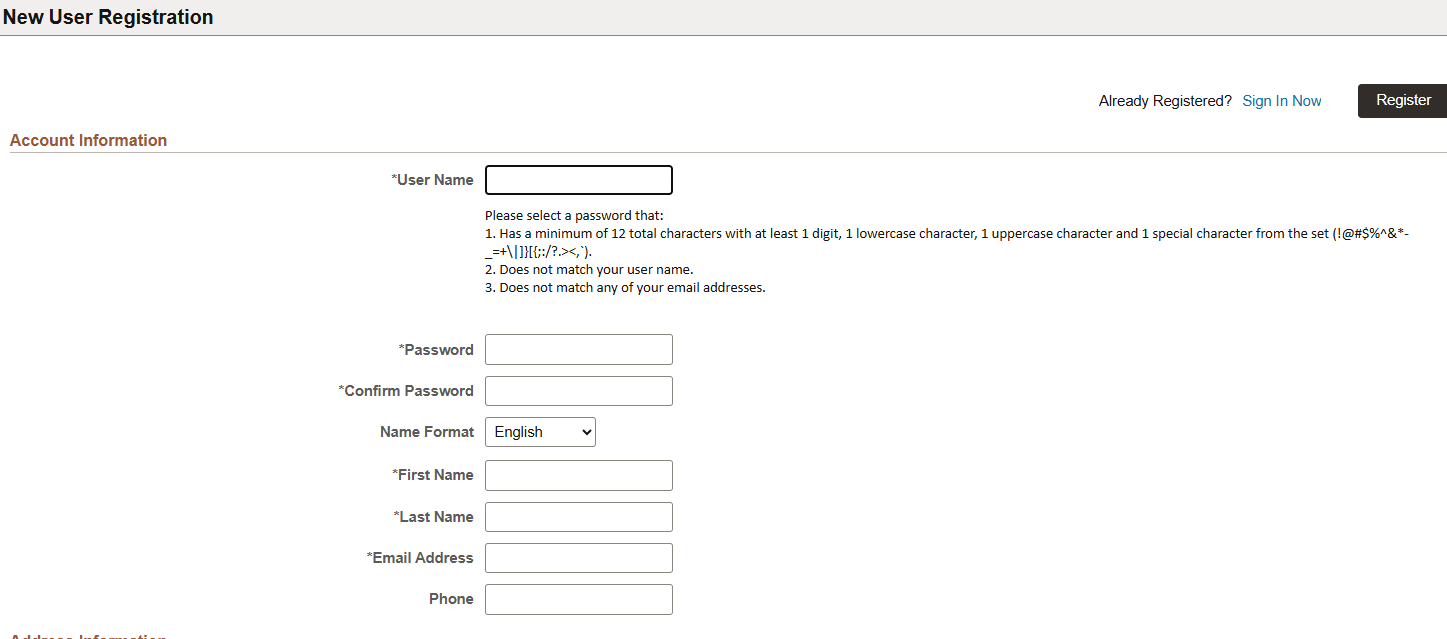
To register, all you need to provide is a username, password, and a valid email address.
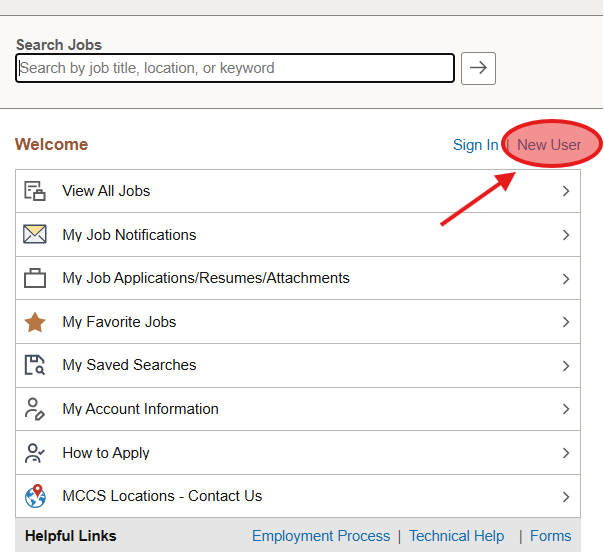
Start from the MCCS Careers landing page, select Prospective Employees, choose New User, and complete the registration form.
Get started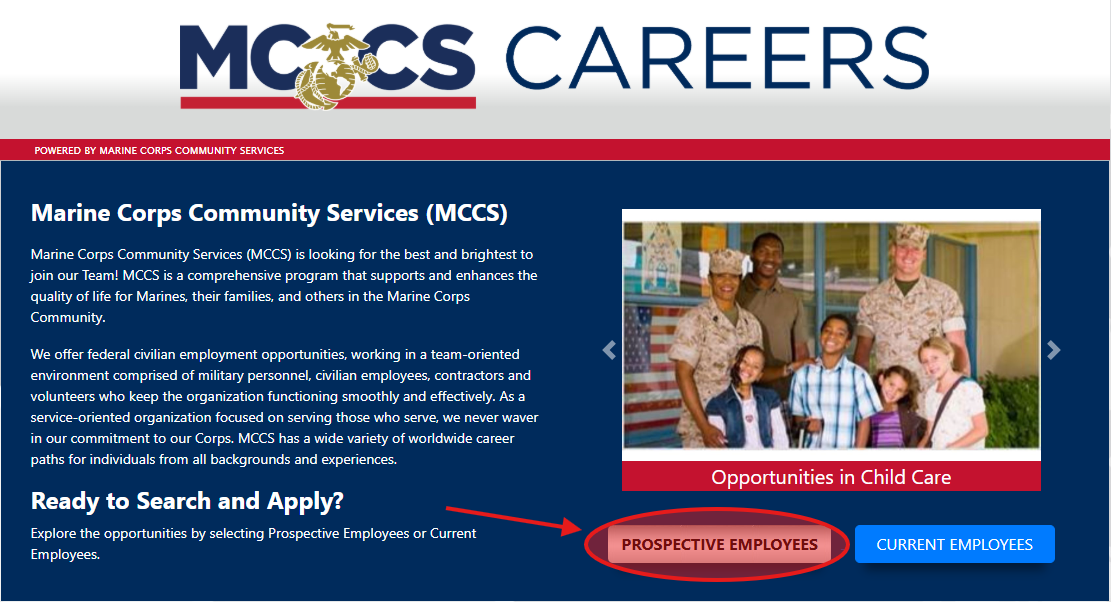
Search for Jobs
All job opportunities available to external applicants can be accessed online through the MCCS Careers page.
Use the Search Jobs field to search by job title, location, or keyword.
Search jobs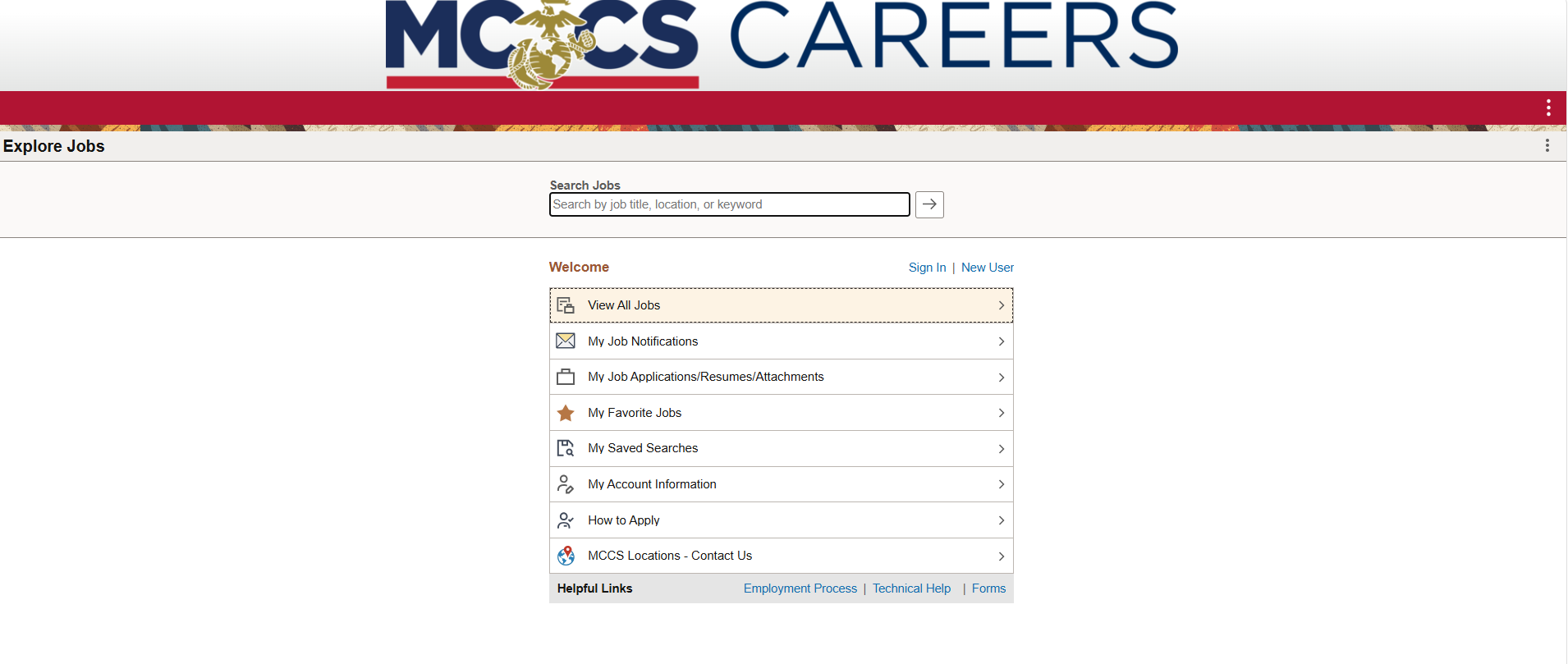
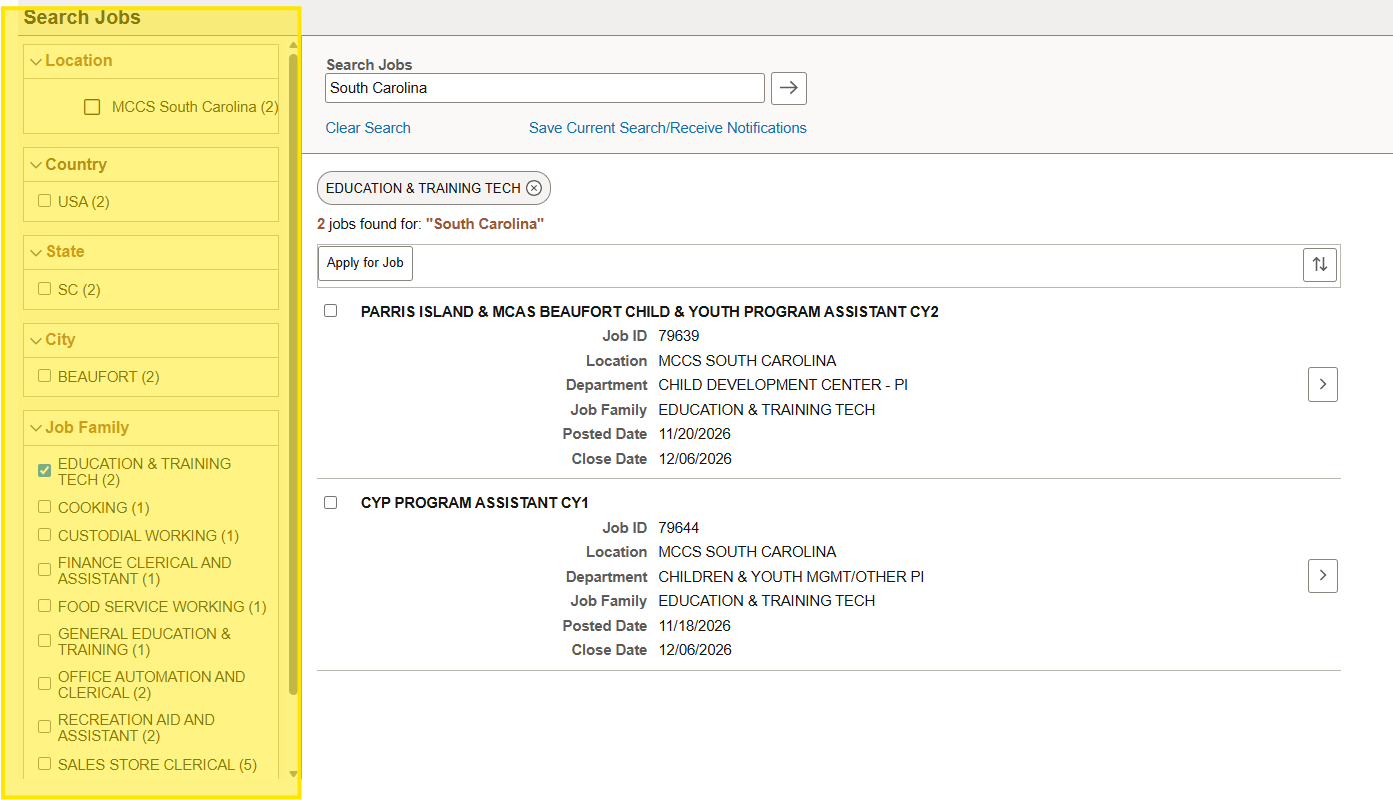
View Current Openings for SC
From the Job Search home page, enter your search criteria (South Carolina, Beaufort). If you are looking for a specific opportunity, you may search by Job Opening ID or by the posting title in the Keywords field.
If you need a more detailed search, you may select multiple locations under the Advanced Search option. Click Search.

Apply for Jobs
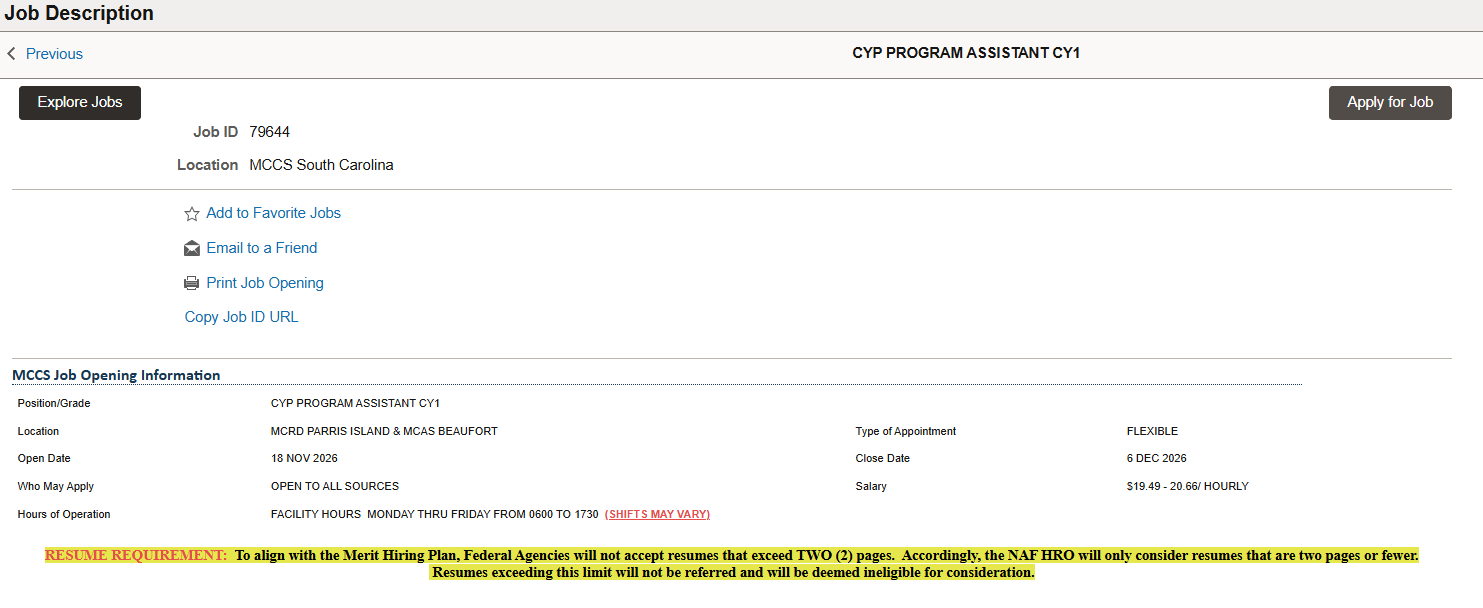
To apply for a specific job opening, your online application must be fully completed.
Here’s what you’ll need:
- Your Work Preferences
Start date, scheduled hours, minimum pay, desired shift, and type of work.
- Education and Work Experience
Dates, job titles, and contact information/addresses. Complete all required fields in this section. Additional details can be provided under Language Skills, Licenses and Certifications, Honors and Awards, and Previous MCCS Employment.
- Your References
Contact information for personal and professional references who can attest to your qualifications and work experience.
- Referral Information
How you found out about the position.
- Applicant Questionnaire
Online questions related to the position you are applying for.
- Resume (optional)
You may provide a copy of your resume by copying and pasting or uploading an existing document.
Check Your Status Anytime
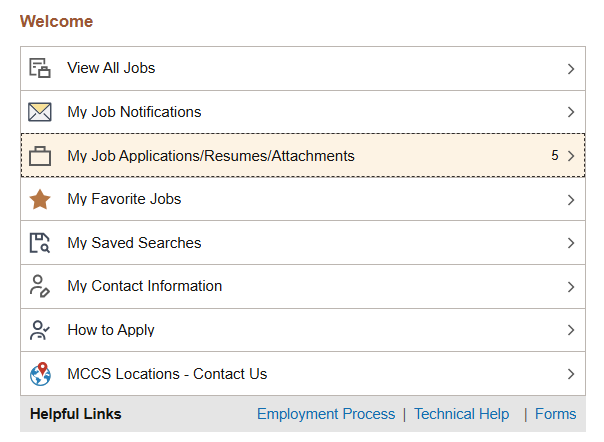
After applying for a specific position, you can check your application status at any time:
- Log into your MCCS Careers account.
- Under My Career Tools, select the Accepted/Unaccepted Applications link.
- View your Applications in Progress.
Ready to take the next step?
Explore career opportunities with MCCS.